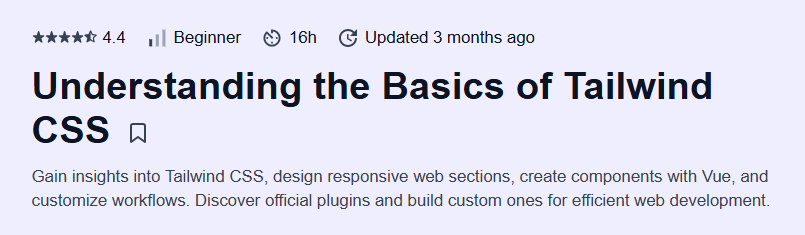
What will you learn in Understanding the Basics of Tailwind CSS Course
-
Apply Tailwind’s utility-first classes to rapidly style components without writing custom CSS
-
Configure and customize the default Tailwind theme to match your design system
-
Build responsive layouts using Tailwind’s mobile-first breakpoints and state variants
-
Extract reusable component classes with
@applyfor maintainable code
Program Overview
Module 1: Introduction & Setup
⏳ 20 minutes
-
Topics: What is Tailwind CSS; installing via npm/Yarn; configuring
tailwind.config.js -
Hands-on: Scaffold a new project and verify Tailwind styles in the browser
Module 2: Utility-First Workflow
⏳ 30 minutes
-
Topics: Core utility classes (layout, spacing, typography, colors)
-
Hands-on: Style a basic landing page layout using only utility classes
Module 3: Customization & Theming
⏳ 25 minutes
-
Topics: Extending the default theme, custom colors, fonts, and spacing scales
-
Hands-on: Define a custom color palette and apply it to components
Module 4: Responsive Design & State Variants
⏳ 20 minutes
-
Topics: Mobile-first breakpoints (
sm,md,lg, etc.); hover, focus, and active variants -
Hands-on: Build a responsive navigation bar with interactive states
Module 5: Extracting Components & @apply
⏳ 25 minutes
-
Topics: Using
@applyin CSS, creating design tokens, and component classes -
Hands-on: Refactor repetitive utilities into reusable component classes
Module 6: Optimization & Plugins
⏳ 20 minutes
-
Topics: PurgeCSS integration, build optimizations, using official plugins (forms, typography)
-
Hands-on: Configure purge paths and add the Tailwind Forms plugin
Module 7: Final Project – Component Library
⏳ 40 minutes
-
Topics: Organizing utility classes into a scalable component library
-
Hands-on: Build and document a small set of reusable UI components
Get certificate
Job Outlook
-
Front-end developers using modern CSS frameworks earn an average of $116,452 per year in the U.S. as of June 2025
-
Employment of software developers is projected to grow 17% from 2023 to 2033, faster than average
-
Proficiency with Tailwind CSS is increasingly sought after in startups, agencies, and large enterprises building responsive UIs
-
Skills in utility-first CSS complement roles in UI engineering, design-to-code specialization, and freelance web development
Explore More Learning Paths
Enhance your front-end development skills with these curated courses designed to help you master CSS, Tailwind, and modern web styling techniques.
Related Courses
-
Introduction to CSS3 Course – Build a strong foundation in CSS3, including selectors, layout techniques, and styling for responsive web design.
-
HTML and CSS In-Depth Course – Dive deeper into HTML and CSS to create fully responsive, visually appealing web pages with hands-on projects.
Related Reading
-
What Is Management? – Learn how CSS and modern styling frameworks like Tailwind integrate into web development workflows to create dynamic, user-friendly interfaces.