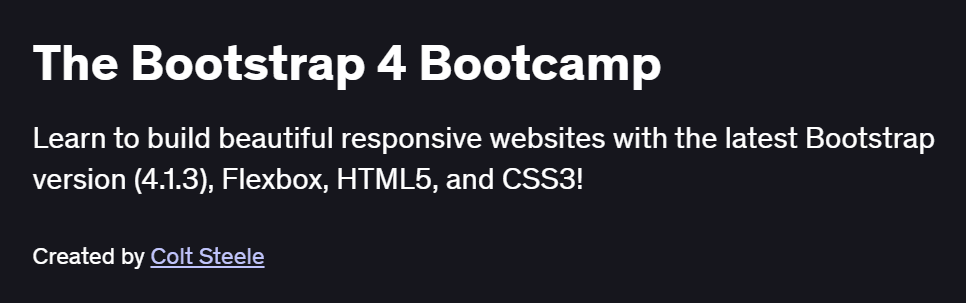
What will you in The Bootstrap 4 Bootcamp Course
- Use Bootstrap’s grid system and utility classes to build responsive, mobile-first layouts
- Style typography, images, and components (navbars, cards, modals, and forms) with built-in Bootstrap classes
- Customize Bootstrap’s default theme using Sass variables and the Bootstrap theming API
- Integrate JavaScript plugins: carousels, dropdowns, tooltips, and collapse behaviors
- Optimize your workflow with package managers (npm), build tools (Gulp/Webpack), and CDN deployments
Program Overview
Module 1: Getting Started & Bootstrap Setup
⏳ 30 minutes
-
Installing via CDN, npm, and using the compiled CSS/JS files
-
Setting up your project structure, linking assets, and verifying responsiveness
Module 2: Grid System & Layouts
⏳ 45 minutes
-
Understanding containers, rows, and columns with breakpoints (sm, md, lg, xl)
-
Nesting grids, alignment utilities, and responsive hiding/showing
Module 3: Typography & Utilities
⏳ 45 minutes
-
Applying headings, text alignment, display headings, and text transform helpers
-
Using spacing, color, and sizing utility classes for rapid prototyping
Module 4: Bootstrap Components I
⏳ 1 hour
-
Building navigation bars, dropdowns, and pagination elements
-
Creating and customizing cards, badges, and alerts for UI consistency
Module 5: Bootstrap Components II
⏳ 1 hour
-
Implementing modals, tooltips, and popovers with JavaScript initialization
-
Styling and validating forms: input groups, custom selects, and form feedback
Module 6: Theming & Customization
⏳ 45 minutes
-
Overriding Sass variables, customizing the color palette, and generating custom builds
-
Using Bootstrap’s theming API and utility APIs for bespoke designs
Module 7: Workflow & Build Tools
⏳ 45 minutes
-
Automating compilation with Gulp/Webpack: Sass linting, autoprefixer, and minification
-
Managing dependencies with npm/Yarn and deploying via GitHub Pages/CDN
Module 8: Project – Responsive Landing Page
⏳ 1 hour
-
Combining layout, components, and utilities to build a polished landing page
-
Ensuring cross-browser compatibility, accessibility, and performance optimizations
Get certificate
Job Outlook
- Bootstrap proficiency is essential for Front-End Developer and UI Engineer roles
- Enables rapid prototyping and consistency in web design agencies and startups
- Valuable for freelance web designers building responsive small business sites
- Lays a foundation for advanced CSS frameworks (Tailwind) and JavaScript UI libraries
Explore More Learning Paths
Enhance your front-end development skills with these carefully curated courses designed to help you master Bootstrap, CSS, and JavaScript for responsive web design.
Related Courses
-
CSS, Bootstrap & JavaScript Web Development Course – Learn to create modern, responsive websites using Bootstrap and core web technologies.
-
HTML, JavaScript & Bootstrap Certification Course – Build dynamic web pages and gain practical experience with HTML, JavaScript, and Bootstrap.
Related Reading
-
What Is Data Management? – Understand how structured data organization enhances web development and site functionality.