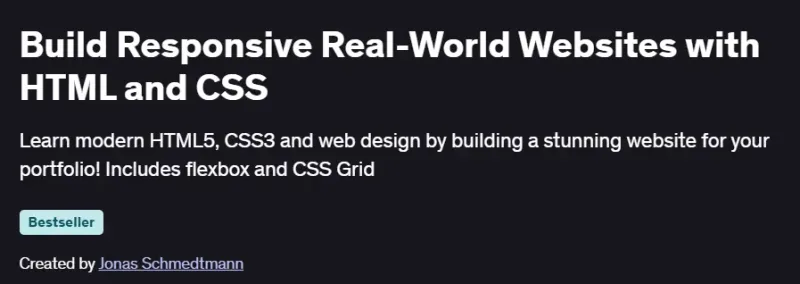
What will you in Build Responsive Real-World Websites with HTML and CSS Course
- Build beautiful, professional websites using semantic HTML5, CSS3, Flexbox, and CSS Grid.
- Design and implement accessible, responsive layouts that adapt to any device.
- Apply a step‑by‑step 7‑phase web design process: planning, sketching, building, testing, optimizing, launching.
- Use a custom “web design framework” for color, typography, spacing, and layout decisions.
- Enhance your developer skills: debugging, documentation reading, sourcing free design assets, and polishing websites.
Program Overview
Module 1: Foundations of Modern HTML & CSS
⏳ ~7 hours
- Learn semantic HTML structure and how to write accessible markup.
- Understand core CSS concepts: cascade, specificity, box model.
- Dive into Flexbox and CSS Grid to create powerful layouts.
- Build small page components to reinforce these basics.
Module 2: Planning & Starting the Main Project
⏳ ~5 hours
- Apply visual planning: sketching wireframes and mood boards.
- Set up the project structure and essential assets.
- Create foundational UI elements: header, hero, and navigation sections.
Module 3: Building the Main Project (Omnifood Clone)
⏳ ~15 hours
- Code the project progressively in 7 structured steps.
- Use responsive design to adapt across screen sizes.
- Incorporate real-world UI patterns and design principles.
- Validate, debug, and refine code quality.
Module 4: Design System & Aesthetic Polish
⏳ ~5 hours
- Implement Jonas’s “web design framework” for typography, spacing, colors.
- Source and integrate free fonts, icons, and images.
- Polish visual details, optimize assets, and ensure pixel-perfect design.
Module 5: Testing, Optimization & Launching
⏳ ~3 hours
- Test responsiveness and browser compatibility.
- Optimize website performance through image & code handling.
- Launch the project and prepare it for inclusion in your portfolio.
Get certificate
Job Outlook
- High Demand: Strong HTML/CSS skills coupled with responsive design are essential for front-end positions.
- Career Advancement: Prepares for roles as UI developer, front-end engineer, or UX-focused designer.
- Salary Potential: Modern HTML/CSS proficiency can significantly boost junior developer salaries.
- Freelance Opportunities: Ideal for contracting on landing page design, small business sites, and static web solutions.
Explore More Learning Paths
Take your web development skills further with these carefully selected courses designed to strengthen your understanding of responsive design, front-end development, and modern web practices.
Related Courses
-
Responsive Web Design Course – Master the fundamentals of responsive design and learn how to build websites that adapt seamlessly to any screen size.
-
Responsive Website Basics: Code with HTML, CSS, and JavaScript Course – Build stronger foundations in front-end development by integrating HTML, CSS, and JavaScript to create dynamic, interactive web pages.
-
Advanced Styling with Responsive Design Course – Explore advanced CSS techniques, layouts, and design systems to craft polished, professional, responsive websites.
Related Reading
Gain deeper insight into structured approaches for managing complex web projects:
-
What Is Project Management – Understand the essential principles and processes that guide successful web development and design projects.