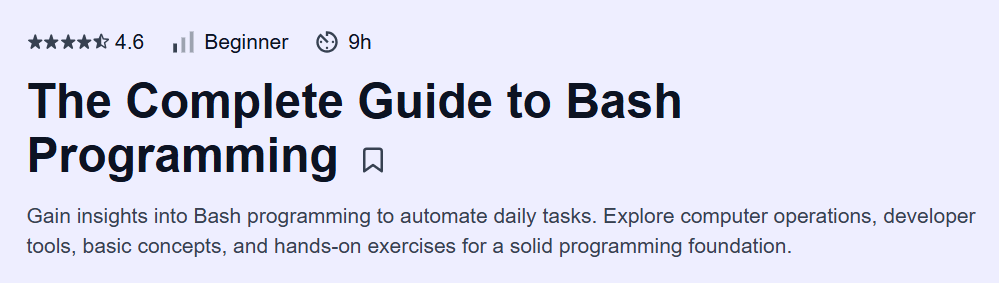
What will you learn in The Complete Guide to Bash Programming Course
-
Grasp Bash programming fundamentals—from OS principles to script automation best practices
-
Navigate and manage Unix file systems, processes, and utilities using Bash commands and pipelines
-
Implement control flow with conditionals, loops, and functions to build reusable scripts
-
Leverage advanced features such as parameter expansions, bitwise and arithmetic operations, and package management
-
Consolidate learning via interactive playgrounds, quizzes, and a final assessment for real-world readiness
Program Overview
Module 1: Introduction
⏳ 20 minutes
-
Topics: Course goals; learning hurdles; existing material survey; why Bash matters
-
Hands-on: Explore the interactive editor; run your first Bash commands
Module 2: Origins of the OS
⏳ 25 minutes
-
Topics: Electromechanical to commercial computers; evolution of operating systems
-
Hands-on: Quiz on OS history and core components
Module 3: Operating Systems
⏳ 60 minutes
-
Topics: APIs, multitasking, GUI evolution, Windows vs. Linux fundamentals
-
Hands-on: Identify OS features and simulate process scheduling
Module 4: Application
⏳ 35 minutes
-
Topics: Memory levels; machine code basics; compilation vs. interpretation
-
Hands-on: Convert numbers between binary and hexadecimal
Module 5: Bash Shell
⏳ 15 minutes
-
Topics: Shell modes; DevTools integration; CLI vs. TUI interfaces
-
Hands-on: Switch interpreter modes and inspect shell variables
Module 6: File System
⏳ 65 minutes
-
Topics: Directory structures; navigation; globbing; find & grep utilities
-
Hands-on: Craft complex
findpipelines and pattern searches
Module 7: Command Information
⏳ 10 minutes
-
Topics: Man pages vs. info system; built-in help commands
-
Hands-on: Practice retrieving command documentation
Module 8: Files and Directories
⏳ 45 minutes
-
Topics:
mkdir,rm,cp,mv; permissions; application execution -
Hands-on: Manage permissions and install a sample Bash app
Module 9: Bash Extra Features
⏳ 60 minutes
-
Topics: I/O redirection; pipelines;
xargs; logical operators -
Hands-on: Build multi-stage pipelines and handle edge cases
Module 10: Scripts Features
⏳ 45 minutes
-
Topics: Backup scripting; parameter handling; error management
-
Hands-on: Write and test a robust backup script
Module 11: Variables and Parameters
⏳ 80 minutes
-
Topics: User/internal variables; arrays; expansions; scope rules
-
Hands-on: Define complex data structures and manipulate array elements
Module 12: Conditional Statements
⏳ 65 minutes
-
Topics:
if,case,[[ … ]]operator deep dive -
Hands-on: Implement decision logic for a configuration script
Module 13: Arithmetic Expressions and Operations
⏳ 40 minutes
-
Topics: Integer representations; the
((…))operator; bitwise ops -
Hands-on: Perform arithmetic and bitwise transformations
Module 14: Bitwise Operations
⏳ 40 minutes
-
Topics: AND, OR, XOR, shifts, byte-order manipulations
-
Hands-on: Write scripts to handle binary flag operations
Module 15: Logical Operations and Increments
⏳ 15 minutes
-
Topics: Logical operators; ternary syntax; increment/decrement
-
Hands-on: Craft one-line conditionals with side effects
Module 16: Loop Operators
⏳ 55 minutes
-
Topics:
for,while, infinite loops; input-stream processing; break/continue -
Hands-on: Automate bulk file operations with loop constructs
Module 17: Functions
⏳ 50 minutes
-
Topics: Declaration, aliases vs. functions, return values, scope
-
Hands-on: Build reusable function libraries and test error handling
Module 18: Package Manager
⏳ 10 minutes
-
Topics: Repository concepts;
apt,yum,brewbasics -
Hands-on: Install, update, and remove packages from the CLI
Module 19: Conclusion
⏳ 5 minutes
-
Topics: Next steps; exploring advanced Bash topics
-
Hands-on: Complete course assessment
Module 20: Bash Scripts Tools
⏳ 20 minutes
-
Topics: Editor setup; background jobs; debugging tools
-
Hands-on: Configure and use an in-browser script editor
Module 21: APPENDIX
⏳ 10 minutes
-
Topics: Bash on Windows vs. macOS; platform nuances
-
Hands-on: Run scripts across different OS environments
Get certificate
Job Outlook
-
DevOps engineers and SREs with Bash expertise earn an average base salary of $110,535 USD per year in the U.S.
-
Employment for software and DevOps roles is projected to grow 22% through 2030, driven by cloud and automation initiatives
-
Mastery of Bash scripting unlocks opportunities in system administration, CI/CD pipeline design, and site reliability engineering
-
Freelance and consultancy roles are plentiful for experts automating infrastructure, monitoring, and deployments
Explore More Learning Paths
Take your Bash scripting and shell programming skills to the next level with these hand-picked programs designed to enhance your technical expertise and streamline workflow automation.
Related Courses
-
Master the Bash Shell Course – Learn advanced Bash scripting techniques, command-line tools, and automation practices for professional Linux environments.
Related Reading
-
What Is Data Management? – Explore how effective data management and scripting practices help automate tasks, maintain organized workflows, and ensure reliable system operations.