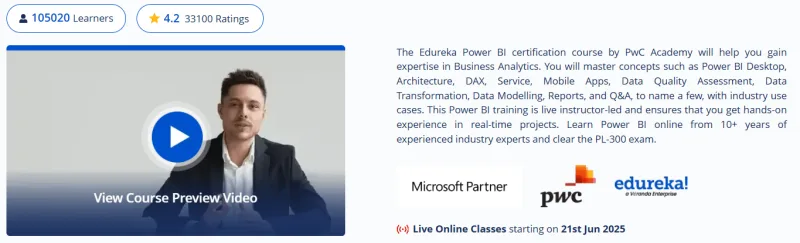
What will you learn in Power BI Certification Training Course: PwC Academy Course
-
Power BI fundamentals & architecture: Learn how to use Power BI Desktop, Service, Mobile, and Embedded, including data gateways and report server setup.
-
Data transformation & modeling: Hands‑on training in Power Query, Power Pivot, DAX formulas, data shaping, dimensional modeling, and relationships.
-
Report building & visualization: Create interactive dashboards with charts, maps, custom visuals, Q&A, drill-throughs, and storytelling.
-
Power BI Service management: Deploy, manage, and share reports, configure permissions, workspace collections, and row‑level security.
-
Advanced analytics & integration: Learn Python/R integration, advanced analytics, anomaly detection, smart narratives, Copilot measures, Fabric connectivity, and performance optimization.
Program Overview
Module 1: Introduction & Desktop Setup
⏳ ~5 hrs
-
Concepts of SSBI vs formal BI, installation
-
Hands-on: Import data, build visuals like clustered columns and maps
Module 2: Data Loading & Transformation
⏳ ~8 hrs
-
Connect to SQL/Cosmos/Azure/SaaS; clean & shape data
-
Hands-on: Use Power Query for ETL tasks per project syllabus
Module 3: Data Modeling & DAX
⏳ ~7 hrs
-
Build relationships, star schema, use DAX functions/measures
-
Hands‑on: Define metrics like cumulative sales and YoY growth
Module 4: Visualization & Reports
⏳ ~7 hrs
-
Build KPIs, slicers, pages, tooltips, drill-through, custom visuals
-
Hands-on: Design dashboards for manufacturing, sales, finance
Module 5: Power BI Service & Security
⏳ ~5 hrs
-
Publish dashboards, manage service, Q&A, workspace, embedded APIs
-
Hands-on: Configure security, row-level permissions
Module 6: Advanced Analytics
⏳ ~6 hrs
-
Use Python/R scripts, anomaly detection, smart narratives, Copilot, dataflows
-
Hands‑on: Build parameterized dashboards and AI-integrated visuals
Module 7: Performance & Administration
⏳ ~3 hrs
-
Optimize performance, configure report server, data gateways
-
Hands-on: Implement incremental refresh and governance best practices
Module 8: Real‑world Projects
⏳ ~10 hrs
-
Hands-on: Retail sales analysis, financial reporting, HR workforce planning, real-time dashboards
-
Build with paginated reports and anomaly/predictive insights
Get certificate
Job Outlook
-
Immediately job-ready: Preps for BI Developer, Power BI Analyst, Data Visualization Specialist roles; 702+ job openings in US alone.
-
Industry versatility: Roles in manufacturing, retail, healthcare, telecom, finance (Accenture, TCS, GEICO, etc.).
-
Mid-level salary potential: Power BI developers earn ~$97K average in the US; Boston averages ~$117K annually.
-
Certification advantage: Ideal for PL-300 preparation and broader Microsoft BI ecosystem roles.
Explore More Learning Paths
Advance your data analytics and business intelligence skills with these curated courses designed to help you master Power BI and turn raw data into actionable insights.
Related Courses
-
Microsoft Power BI Data Analyst Professional Certificate Course – Learn to design data models, create dashboards, and gain hands-on experience with Microsoft Power BI.
-
Power BI Masterclass: Beginners to Advanced Course – Take your Power BI skills from basic to advanced with practical projects and real-world business scenarios.
-
PowerBI Zero to Hero Course – Start from scratch and become proficient in Power BI with guided lessons, visualizations, and reporting techniques.
Related Reading
-
What Is Data Management – Gain a deeper understanding of how effective data management practices support better decision-making and analytics performance.