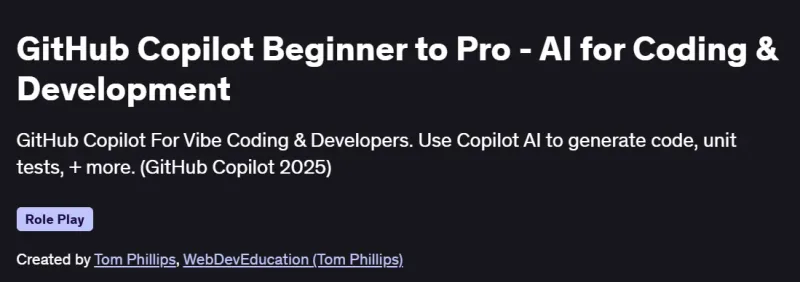
What will you in GitHub Copilot Beginner to Pro – AI for Coding & Development Course
-
Use GitHub Copilot CLI, Chat, and “vibe coding” to streamline code generation, testing, and refactoring.
-
Build full-stack apps (HTML, JavaScript, React, Next.js) with Copilot’s assistance in unit testing, security, and commits.
-
Refactor existing codebases using context-aware AI suggestions for cleaner architecture.
-
Create dynamic UIs and backend logic with minimal manual input using Copilot suggestions.
-
Apply Copilot for writing secure code, generating documentation, and improving code readability.
Program Overview
Module 1: Bucks2Bar Web App
⏳ 60 minutes
-
Scaffold a complete income and expense tracker with AI-generated components and charts.
-
Implement unit testing, commit messages, and secure code patterns with Copilot’s guidance.
Module 2: GitHub Copilot CLI & Chat Features
⏳ 45 minutes
-
Use Copilot’s command-line interface for generating and refactoring code.
-
Apply AI-driven suggestions via mobile Copilot chat for real-time assistance.
Module 3: Copilot for React JS
⏳ 60 minutes
-
Create functional and styled React/TypeScript components with Copilot prompts.
-
Integrate validation, conditional logic, and test cases using Copilot features.
Module 4: Next.js “Surf Report” App
⏳ 75 minutes
-
Build a full-stack Next.js app fetching surf reports using vibe coding principles.
-
Design and implement custom logic while integrating Copilot’s end-to-end code generation.
Module 5: Extras & Deployment Tips
⏳ 30 minutes
-
Add server-side email functionality and practice prompt reusability.
-
Explore Copilot’s support in deployment planning and multi-file navigation.
Get certificate
Job Outlook
-
High demand for developers skilled in AI-assisted coding, especially with GitHub Copilot.
-
Copilot expertise enhances productivity and reduces time-to-code across frontend and full-stack roles.
-
Salaries for Copilot-enabled roles typically range between $110K–$160K in software development.
-
Freelancers can offer services like Copilot integration, code audit automation, and productivity consulting.
Explore More Learning Paths
Take your engineering and management expertise to the next level with these hand-picked programs designed to expand your skills and boost your leadership potential.
Related Courses
-
GitHub Copilot, Spring Boot & Spring AI – Learn to integrate GitHub Copilot with Spring Boot and Spring AI, improving coding efficiency and automating repetitive development tasks.
-
GitHub Copilot AI Coding Assistant – Complete Guide [2024] – Master AI-assisted coding for web development projects, enhancing productivity and workflow with GitHub Copilot.
-
AI for Developers with GitHub Copilot, Cursor AI & ChatGPT – Explore multiple AI coding tools to accelerate development, build smarter applications, and streamline software workflows.
Related Reading
-
What Is Product Management? – Understand how product management strategies ensure effective integration and deployment of AI tools in development projects.