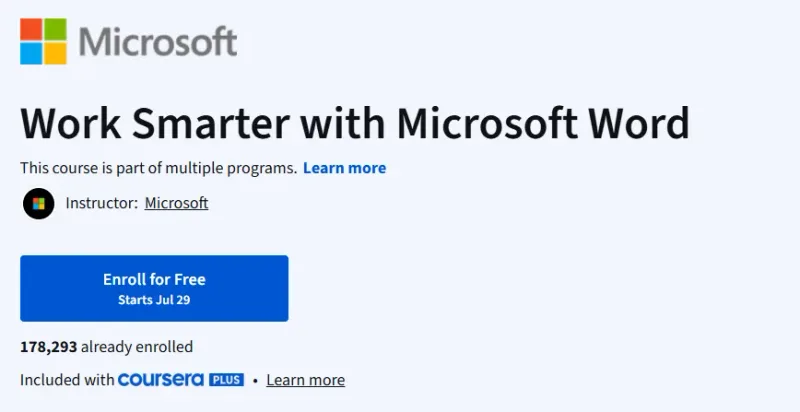
What will you learn in Work Smarter with Microsoft Word Course
-
Navigate Microsoft 365 and understand core Word features.
-
Customize text formatting, styles, and layout for professional documents.
-
Create and manage tables, lists, and graphics.
-
Finalize documents with references, citations, accessible layouts, and validations.
-
Collaborate using track changes, comments, and sharing features.
Program Overview
Module 1: Getting Started with Microsoft 365
⏱️ ~5 hours
-
Topics: Navigating Microsoft 365, using Office apps, managing OneDrive and Delve.
-
Hands-on: Explore Microsoft ecosystem and manage file storage and sharing.
Module 2: Entry-level Word Usage
⏱️ ~5 hours
-
Topics: Word interface, document creation, editing, proofing, templates.
-
Hands-on: Create and proofread sample documents.
Module 3: Working with Text, Tables & Lists
⏱️ ~5 hours
-
Topics: Paragraph formatting, lists, table creation, cell formatting.
-
Hands-on: Build structured documents with tables and lists.
Module 4: Working with Graphics
⏱️ ~5 hours
-
Topics: Insert/edit images, text boxes, shapes, WordArt, SmartArt.
-
Hands-on: Create visually engaging documents with rich media.
Module 5: Finalizing a Document
⏱️ ~5 hours
-
Topics: Accessibility, document protection, references, hyperlinks, endnotes, TOC.
-
Hands-on: Build professional reports with citations and tables of contents.
Module 6: Collaborating on Documents
⏱️ ~5 hours
-
Topics: Track changes, comments, shared editing, review workflows.
-
Hands-on: Simulate collaborative real-time document editing.
Module 7: Honors Practice Assignment
⏱️ ~1 hour (optional)
-
Topics: Peer-reviewed project to apply all learned skills.
-
Hands-on: Complete an honors-grade assignment to earn recognition.
Get certificate
Job Outlook
-
Word document proficiency is crucial for administrative and office roles.
-
Skills apply widely across education, finance, marketing, and corporate sectors.
-
Knowledge of professional Word features enhances employability and performance.
Explore More Learning Paths
Take your engineering and management expertise to the next level with these hand-picked programs designed to expand your skills and boost your leadership potential.
Related Courses
-
Mastering Microsoft Copilot: A Beginner’s Guide Course – Learn how to harness the power of Microsoft Copilot to automate tasks, streamline workflows, and boost productivity across all your daily tools.
-
Master Microsoft Office 365 and Power Platform Specialization Course – Build end-to-end skills in Office 365, Power Automate, and Power Apps so you can create smarter business solutions with ease.
-
Copilot: Microsoft 365 Copilot AI for Excel, Word & PowerPoint Course – Discover how to integrate AI into your everyday office tasks and transform complex processes into simple, automated workflows.
Related Reading
Gain deeper insight into how project management drives real-world success:
-
What Is Project Management? – Understand the principles that make every great project a success story.