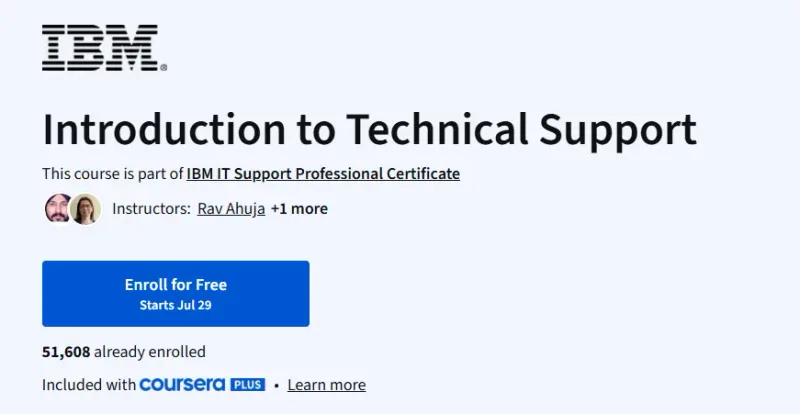
What will you learn in Introduction to Technical Support Course
-
Understand the core responsibilities of a technical support specialist.
-
Learn about common IT hardware, software, and troubleshooting techniques.
-
Master essential communication and customer service skills for tech support.
-
Gain familiarity with ticketing systems, escalation procedures, and documentation.
Program Overview
Module 1: Role of a Technical Support Specialist
⏱️ 1 week
-
Topics: Day-to-day responsibilities, required skills, career pathways
-
Hands-on: Explore real-world case studies of support scenarios
Module 2: Introduction to IT Hardware and Software
⏱️ 1 week
-
Topics: Operating systems, drivers, input/output devices, updates
-
Hands-on: Basic hardware identification and configuration walkthroughs
Module 3: Common Technical Issues and Troubleshooting
⏱️ 1 week
-
Topics: Diagnosing hardware/software/network issues, reboot cycles, tools
-
Hands-on: Apply step-by-step troubleshooting methods using mock examples
Module 4: Communication and Customer Service
⏱️ 1 week
-
Topics: Active listening, tone of voice, support etiquette, empathy
-
Hands-on: Practice writing responses for simulated support tickets
Module 5: Ticketing Systems and Workflow Management
⏱️ 1 week
-
Topics: Help desk tools, escalation policies, knowledge base use
-
Hands-on: Analyze sample tickets and learn documentation best practices
Module 6: Career Preparation and Next Steps
⏱️ 1 week
-
Topics: Certifications, resume tips, job interviews in tech support
-
Hands-on: Draft a resume and prepare for entry-level support roles
Get certificate
Job Outlook
-
Growing demand for tech support roles with remote and hybrid opportunities.
-
Average entry-level salary: $40K–$60K annually.
-
This course offers a springboard into IT support, customer service, and help desk roles.
-
Certifications and hands-on experience greatly enhance career growth.
Explore More Learning Paths
Take your engineering and management expertise to the next level with these hand-picked programs designed to expand your skills and boost your leadership potential.
Related Courses
-
Google IT Support Professional Certificate Course – Build job-ready IT support skills, including troubleshooting, networking, operating systems, and customer service.
-
Microsoft Cloud Support Associate Professional Certificate Course – Gain hands-on experience supporting cloud-based systems and managing enterprise-level technical environments.
-
Technical Support Fundamentals Course – Learn the core foundations of IT support, from computer systems to networking basics and problem-solving skills.
Related Reading
Gain deeper insight into how project management drives real-world success:
-
What Is Project Management? – Understand the principles that make every great project a success story.