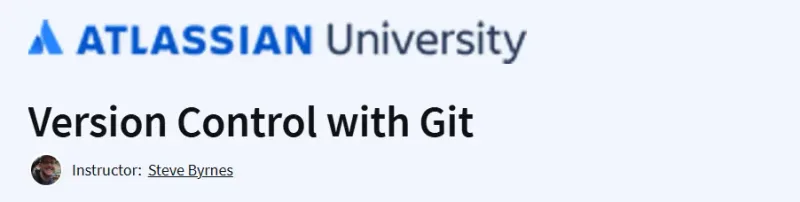
What will you in the Version Control with Git Course
-
Git Fundamentals: Understand the core concepts of Git, including repositories, commits, branches, and merges.
-
Branching and Merging: Learn how to create and manage branches, perform merges, and resolve conflicts.
-
Git Workflows: Explore various Git workflows such as centralized, feature branching, forking, and Gitflow.
-
Remote Repositories: Gain proficiency in working with remote repositories using platforms like Bitbucket and GitHub.
-
Command-Line and GUI Tools: Develop skills in using both command-line interfaces and graphical tools like Sourcetree for version control tasks.
Program Overview
Module 1: Our First Repository
⏳ Duration: ~2 hours
-
Introduction to Git and version control concepts.
-
Installing Git and/or Sourcetree.
-
Creating local and remote repositories.
-
Making commits and pushing changes to remote repositories.
Module 2: Branching and Merging I
⏳ Duration: ~3 hours
-
Understanding Git’s commit graph model.
-
Creating and managing branches.
-
Performing merges, including fast-forward and merge commits.
Module 3: Branching and Merging II
⏳ Duration: ~3 hours
-
Resolving merge conflicts.
-
Synchronizing with remote repositories using fetch, pull, and push commands.
-
Rewriting history with techniques like amending commits and rebasing.
Module 4: Git Workflows
⏳ Duration: ~5 hours
-
Exploring different team workflows: centralized, feature branching, forking, and Gitflow.
-
Utilizing pull requests for code reviews and collaboration.
-
Final project implementing a Gitflow workflow in a simulated team environment.
Get certificate
Job Outlook
-
High Demand: Proficiency in Git is essential for roles in software development, DevOps, and IT operations.
-
Career Advancement: Mastery of version control systems like Git can lead to opportunities in collaborative and agile development environments.
-
Industry Relevance: Git is widely adopted across various industries, making these skills applicable in numerous professional contexts.
Explore More Learning Paths
Advance your software development skills with these curated courses, designed to help you master Git, version control workflows, and collaborative coding practices.
Related Courses
-
Version Control Course – Learn the fundamentals of version control systems and best practices for managing code changes effectively.
-
Learn Git Course – Gain hands-on experience with Git commands and workflows for collaborative software development.
-
Learn Git by Doing: A Step-by-Step Guide to Version Control Course – Apply Git through practical exercises and real-world scenarios to strengthen your coding projects.
Related Reading
-
What Is Project Management? – Explore how version control integrates into structured project management and software development processes.