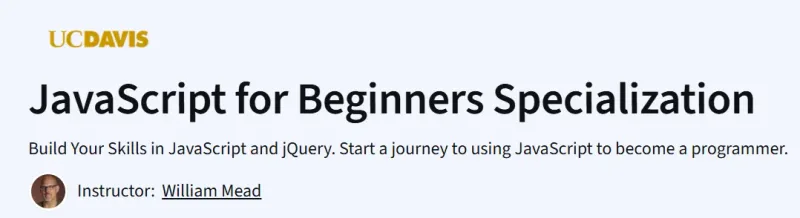
What will you learn in JavaScript for Beginners Specialization Course
-
JavaScript Basics: Understand core programming structures, including variables, loops, and control flow.
-
jQuery Fundamentals: Learn to use the jQuery library for animations and UI components.
-
Event-Driven Programming: Develop interactive web applications by handling user events.
-
Data Manipulation: Work with JSON, AJAX, and APIs to manage and display dynamic data.
Program Overview
Course 1: JavaScript Basics
⌛ ~20 hours
-
Topics: Working with a code editor; selection/control structures; loops; core programming structures; variables & arrays.
-
Hands-on: Multiple modules that include videos, readings, assignments & quizzes; write first scripts; practice variables & arrays; get feedback.
Course 2: Animation with JavaScript and jQuery
⌛ ~13 hours
-
Topics: Introduction to jQuery; syntactical differences between JavaScript and jQuery; building small animation projects.
-
Hands-on: Build animations; use jQuery in practice; do small coding challenges/projects.
Course 3: Interactivity with JavaScript and jQuery
⌛ ~14 hours
-
Topics: More complex scripting; identifying/manipulating objects; working with the DOM; creating interactive behaviour using jQuery; structuring larger programs with multiple functions.
-
Hands-on: Practice challenges; build interactive components; manipulate DOM; combine functions for more complex behaviors.
Course 4: Data Manipulation in JavaScript
-
Topics: Handling data in JavaScript (objects, arrays, etc.); transforming, filtering, organizing data; more advanced features for working with dynamic data.
-
Hands-on: Projects/challenges involving data transformation; apply JS to real-style data; practice with code that handles dynamic inputs.
Get certificate
Job Outlook
-
Entry-Level Positions: Ideal for aspiring front-end developers, web designers, and junior JavaScript developers.
-
Industry Applications: Skills applicable in web development, UI/UX design, and interactive media.
Explore More Learning Paths
Build a strong foundation in modern JavaScript and expand your skills into full-stack development, interactive web applications, and advanced programming concepts with these curated learning paths.
Related Courses
-
Programming with JavaScript Course – Learn core JavaScript concepts, syntax, and problem-solving techniques to begin writing clean, functional code from day one.
-
JavaScript Certification Training Course – Gain hands-on experience with real-world JavaScript projects while preparing for industry-recognized certification.
-
JavaScript Programming with React, Node & MongoDB Specialization Course – Advance into full-stack development by mastering front-end and back-end JavaScript with modern frameworks and databases.
Related Reading
Enhance your understanding of how teams and systems work efficiently—an important skill when building and deploying JavaScript applications:
-
What Is Operations Management? – Learn how organizations streamline processes and improve performance, a valuable perspective for developers working on scalable applications.