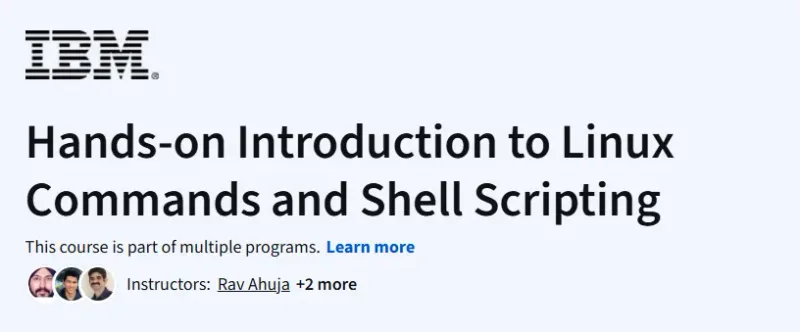
Hands-on Introduction to Linux Commands and Shell Scripting Course

Hands-on Introduction to Linux Commands and Shell Scripting Course Course

This course is a practical and accessible introduction to Linux essentials and scripting, perfect for tech beginners and IT support aspirants looking to gain command-line fluency. ...

Explore This Course
9.7/10 Highly Recommended

Hands-on Introduction to Linux Commands and Shell Scripting Course on Coursera — This course is a practical and accessible introduction to Linux essentials and scripting, perfect for tech beginners and IT support aspirants looking to gain command-line fluency.

Pros

  • Clear explanation of each command’s purpose
  • Beginner-friendly scripting exercises
  • Builds confidence for working in Linux environments

Cons

  • Doesn't cover advanced bash scripting
  • Limited real-world scripting scenarios

Hands-on Introduction to Linux Commands and Shell Scripting Course Course

Platform: Coursera

What will you learn in Hands-on Introduction to Linux Commands and Shell Scripting Course

  • Master basic Linux commands for file and directory manipulation.

  • Navigate Linux environments and use the terminal efficiently.

​​​​​​​​​​

  • Create and execute shell scripts to automate tasks.

  • Understand file permissions, environment variables, and command chaining.

Program Overview

Module 1: Introduction to Linux and Shell

⏱️ 1 week

  • Topics: Linux architecture, terminal vs GUI, shell overview

  • Hands-on: Launching Linux CLI, navigating file system

Module 2: Essential Linux Commands

⏱️ 1 week

  • Topics: ls, cd, cp, mv, rm, mkdir, man, cat, echo

  • Hands-on: Create, move, delete, and view files and directories

Module 3: Permissions and Ownership

⏱️ 1 week

  • Topics: chmod, chown, file access levels, symbolic vs numeric modes

  • Hands-on: Change file and folder permissions, assign ownership

Module 4: Shell Scripting Basics

⏱️ 1 week

  • Topics: Script structure, variables, conditionals, loops

  • Hands-on: Write and execute basic shell scripts

Module 5: Advanced Scripting Techniques

⏱️ 1 week

  • Topics: Command chaining, functions, debugging, argument handling

  • Hands-on: Build a reusable script for a system admin task

Get certificate

Job Outlook

  • High demand for Linux and shell scripting skills in DevOps, IT support, and cloud roles.

  • Entry-level roles include Linux System Admin, IT Support Specialist, and Junior DevOps Engineer.

  • Salaries range from $55,000 to $105,000 depending on specialization and location.

  • Freelance and remote work options are widely available in the open-source ecosystem.

Explore More Learning Paths

Strengthen your command-line expertise with programs designed to build confidence in Linux environments, improve automation skills, and prepare you for real-world system administration tasks.

Related Courses

Related Reading

Gain deeper insight into how project management drives real-world success:

FAQs

How much time should I dedicate weekly to complete the course effectively?
Estimated completion is around 2–4 weeks at a part-time pace. Weekly commitment of 3–5 hours is generally sufficient to follow lectures and complete exercises. Consistent practice in commands and scripts reinforces learning. Revisiting labs or experimenting with scripts may require additional time. Regular engagement ensures learners develop both foundational Linux skills and practical scripting expertise.
How relevant are the skills taught for IT or software development careers?
Linux is widely used in server environments, cloud platforms, and software development. Shell scripting enhances productivity by automating routine tasks. Skills are applicable in roles such as DevOps, system administration, and backend development. Knowledge of Linux commands and scripting is highly sought in enterprise and cloud computing. Hands-on practice ensures learners can confidently perform real-world tasks.
Can this course help me learn shell scripting for automation?
The course introduces basic shell scripting concepts and syntax. Learners create scripts to automate repetitive tasks. Practical exercises include loops, conditionals, and file handling. Scripts can be applied to system administration, data processing, or development workflows. Hands-on scripting projects help learners build practical automation skills.
Will I gain practical experience using Linux commands?
The course includes exercises for navigating the file system, managing files, and executing commands. Learners practice essential Linux commands such as ls, grep, chmod, and tar. Practical tasks simulate real-world Linux administration scenarios. Step-by-step labs build confidence in performing command-line operations. Regular practice helps learners apply skills in both development and server environments.
Do I need prior Linux or programming experience to take this course?
No prior Linux experience is required; the course introduces concepts from scratch. Basic familiarity with computers and command-line interfaces is helpful but not mandatory. Step-by-step instructions guide learners through commands and scripting. Beginners can practice safely in a virtual Linux environment. Hands-on exercises ensure gradual and practical learning.

Similar Courses

Other courses in Computer Science Courses