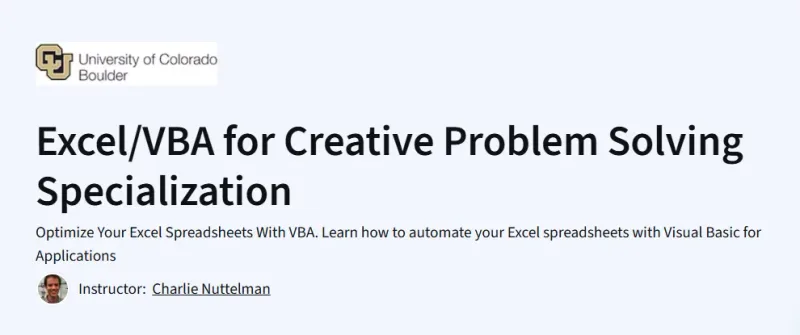
What will you learn in Excel/VBA for Creative Problem Solving Specialization Course
-
Automate Excel workflows using macros, custom functions, and VBA programming.
-
Apply programming structures, Goal Seek, and Solver to build dynamic, optimized solutions. (Part 1)
-
Manage arrays, text files, and consolidate data across multiple worksheets via VBA. (Part 2)
-
Design professional user forms with UI elements and enable event-driven automation. (Part 2)
-
Complete real-world VBA projects—like Monte Carlo simulations or grade managers—and experiment with peer-reviewed scenarios. (Part 3)
Program Overview
Course: Part 1
Duration: ~5 weeks
-
Topics: Learn to record macros, write VBA procedures with debugging, create user-defined functions, and automate Goal Seek and Solver tools for live solutions.
-
Hands-on: Watch instructional videos, complete readings and quizzes, submit VBA assignments using in-app grading (Honors option available).
Course: Part 2
Duration: ~4 weeks
-
Topics: Import/export arrays, process text strings, handle .txt files, consolidate data across worksheets, and build professional user forms in VBA.
-
Hands-on: Engage in video lectures, quizzes, readings, and assignments to automate Excel workflows and develop interactive forms.
Course: Part 3 (Projects)
Duration: ~3–4 weeks
-
Topics: Design and implement a VBA user form to solve real-world problems using UI, automation, and data manipulation techniques.
-
Hands-on: Complete three real-world development projects, submit for peer review, and earn the specialization certificate plus project badges.
Get certificate
Job Outlook
-
Enhances roles in finance, operations, and data roles that rely heavily on Excel—automation through VBA sets candidates apart.
-
Especially valuable in small to mid-sized firms automating Excel-heavy workflows, though VBA demand may be limited in tech-forward environments.
-
Can be a powerful productivity multiplier: VBA often enables tasks in minutes that would otherwise take hours or days.
Explore More Learning Paths
Advance your Excel skills and problem-solving capabilities with these carefully selected courses designed to enhance data analysis, automation, and practical business applications.
Related Courses
-
Introduction to Data Analysis Using Microsoft Excel Course – Learn essential Excel functions and techniques for analyzing and interpreting data effectively.
-
Everyday Excel Specialization Course – Build practical Excel skills for everyday tasks, including formulas, data visualization, and reporting.
-
Everyday Excel, Part 1 Course – Start with foundational Excel skills to manage, manipulate, and analyze data efficiently.
Related Reading
-
What Is Data Management? – Explore how structured data management supports Excel analytics and business decision-making.