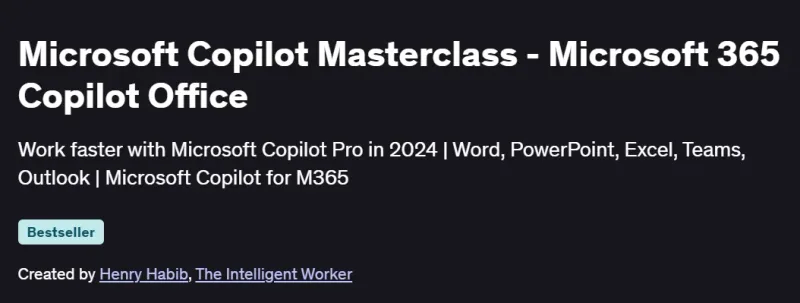
What will you in Microsoft Copilot Masterclass – Microsoft 365 Copilot Office Course
-
Understand what Microsoft 365 Copilot is and how it integrates with Microsoft Office apps.
-
Learn to use Copilot in Word, Excel, PowerPoint, Outlook, and Teams.
-
Automate tasks, draft content, and analyze data using AI-powered assistance.
-
Improve productivity through intelligent suggestions and automation.
-
Gain hands-on knowledge for deploying and leveraging Copilot in a business environment.
Program Overview
Module 1: Introduction to Microsoft 365 Copilot
⏳ 30 minutes
-
Overview of Microsoft Copilot and its role in Microsoft 365.
-
AI integration and how it enhances productivity.
Module 2: Copilot in Word
⏳ 45 minutes
-
Using Copilot to draft, summarize, and rewrite documents.
-
Style adjustments, tone refinement, and content transformation.
Module 3: Copilot in Excel
⏳ 60 minutes
-
Data analysis, formula generation, and trend spotting.
-
Automating reports and interpreting data insights.
Module 4: Copilot in PowerPoint
⏳ 45 minutes
-
Designing slides from prompts and written content.
-
Visual storytelling and AI-assisted presentation building.
Module 5: Copilot in Outlook
⏳ 45 minutes
-
Drafting and summarizing emails.
-
Scheduling and inbox management with Copilot help.
Module 6: Copilot in Teams
⏳ 30 minutes
-
Recap meetings, generate action items, and smart replies.
-
Enhancing collaboration and communication using AI.
Module 7: Copilot Administration & Deployment
⏳ 45 minutes
-
Licensing, configuration, and security considerations.
-
Managing access and integration across an organization.
Get certificate
Job Outlook
-
High Demand: AI-driven productivity tools are transforming roles in administration, operations, and communications.
-
Career Advancement: Valuable for professionals in office management, executive assistance, and digital transformation.
-
Salary Potential: Productivity tech-savvy professionals can earn $60K–$100K/year or more.
-
Freelance Opportunities: Trainers and consultants in Microsoft 365 and AI tools are in growing demand.
Explore More Learning Paths
Elevate your Microsoft 365 productivity and AI skills with these hand-picked programs designed to help you harness the full power of Copilot for smarter workflows and automation.
Related Courses
-
Copilot Essentials in Microsoft Office Course – Learn the core functionalities of Microsoft Copilot and how to integrate AI into everyday Office tasks.
-
Microsoft Copilot Studio: The Copilot Studio Masterclass Course – Explore Copilot Studio to build, customize, and deploy AI-assisted applications across Microsoft platforms.
-
Mastering Microsoft Copilot: A Beginner’s Guide Course – Gain foundational knowledge of Copilot and learn to implement AI-driven solutions for Office workflows.
Related Reading
-
What Is Python Used For? – Discover how Python can complement AI tools like Copilot to automate tasks and create intelligent Office solutions.