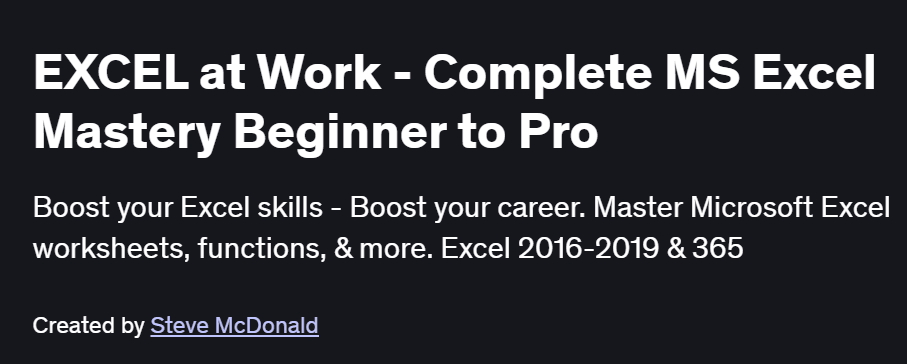
What will you in EXCEL at Work – Complete MS Excel Mastery Beginner to Pro Course
-
Master Excel from the basics of data entry to advanced formulas and functions
-
Create dynamic reports using PivotTables and PivotCharts
-
Automate tasks with Macros and VBA scripting
-
Perform data analysis using logical, statistical, and lookup functions
-
Build dashboards and streamline workflow with professional formatting tools
Program Overview
Excel Basics and Interface Navigation
⏳ 45 minutes
-
Exploring the Excel ribbon, cells, rows, and columns
-
Creating, saving, and organizing workbooks and worksheets
Data Entry, Formatting & Basic Functions
⏳ 1 hour
-
Typing and editing data
-
Formatting cells, conditional formatting, and basic functions like SUM, AVERAGE, COUNT
Intermediate Formulas and Data Tools
⏳ 1 hour
-
Logical functions (IF, AND, OR), Lookup functions (VLOOKUP, HLOOKUP, INDEX & MATCH)
-
Sorting, filtering, data validation, and named ranges
Advanced Excel Features
⏳ 1 hour
-
Creating PivotTables and PivotCharts
-
Data consolidation, grouping, and dynamic reports
Macros and VBA for Automation
⏳ 45 minutes
-
Recording and running simple macros
-
Introduction to VBA: syntax, procedures, and automation basics
Charts, Dashboards & Final Tips
⏳ 45 minutes
-
Creating interactive charts and basic dashboards
-
Productivity shortcuts and review of key tools
Get certificate
Job Outlook
-
Excel is a critical skill for professionals in finance, HR, marketing, data analysis, and administration
-
High demand for roles such as Financial Analyst, Operations Manager, Data Entry Specialist, and Business Analyst
-
Excel proficiency boosts salary potential and career growth
-
Automation and reporting skills using Excel are valuable for freelancing and consultancy
Explore More Learning Paths
Take your Excel skills to the next level with curated programs that expand your mastery of spreadsheets, data analysis, and automation techniques for professional use.
Related Courses
-
Everyday Excel Part 1 Course – Build foundational Excel skills, including formulas, functions, and data organization essentials for everyday tasks.
-
Everyday Excel Specialization Course – Advance your spreadsheet skills through real-world exercises, covering analysis, visualization, and workflow optimization.
-
Excel VBA for Creative Problem-Solving Specialization Course – Learn automation with VBA to streamline repetitive tasks and enhance problem-solving efficiency in Excel.
Related Reading
Boost your data management and workflow efficiency:
-
What Is Data Management? – Understand how structured data handling improves analysis, reporting, and decision-making in Excel-based projects.