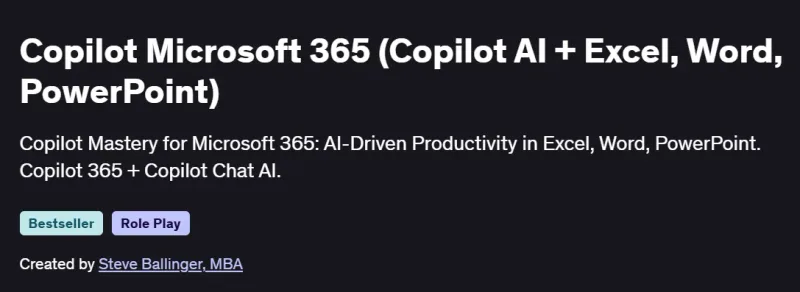
What will you in Copilot Microsoft 365 (Copilot AI + Excel, Word, PowerPoint) Course
-
Understand the fundamentals and strategic benefits of Microsoft 365 Copilot.
-
Explore how AI enhances productivity across Word, Excel, PowerPoint, Outlook, and Teams.
-
Learn real-world use cases for automating workflows and content creation.
-
Get practical experience using Copilot to save time, improve writing, and analyze data.
-
Gain confidence in leveraging Copilot across enterprise environments.
Program Overview
Module 1: Introduction to Microsoft 365 Copilot
⏳ 30 minutes
-
What is Microsoft 365 Copilot and how it works.
-
Overview of AI integration in productivity tools.
Module 2: Copilot in Microsoft Word
⏳ 45 minutes
-
Drafting, editing, and summarizing documents with AI.
-
Streamlining reports, proposals, and communication.
Module 3: Copilot in Excel
⏳ 60 minutes
-
Automating data analysis and formula creation.
-
Extracting insights and creating visual dashboards.
Module 4: Copilot in PowerPoint
⏳ 45 minutes
-
Generating presentation slides from text or topics.
-
Enhancing visuals and messaging with AI support.
Module 5: Copilot in Outlook
⏳ 45 minutes
-
Composing, summarizing, and prioritizing emails.
-
Managing meetings and schedules efficiently.
Module 6: Copilot in Teams
⏳ 30 minutes
-
Automating meeting notes, action items, and chat summaries.
-
Enhancing collaboration through intelligent suggestions.
Module 7: Advanced Use Cases & Workflow Optimization
⏳ 45 minutes
-
Copilot for business process efficiency and time savings.
-
Real scenarios of document, email, and project automation.
Get certificate
Job Outlook
-
High Demand: Microsoft 365 Copilot is reshaping roles in digital productivity and automation.
-
Career Advancement: Useful for administrative professionals, team leads, and digital transformation officers.
-
Salary Potential: Roles integrating AI tools can earn $70K–$120K/year.
-
Freelance Opportunities: Corporate training, AI implementation, and workflow consulting.
Explore More Learning Paths
Level up your Microsoft 365 and Copilot AI skills with these carefully curated programs designed to help you automate workflows, enhance productivity, and master AI-assisted Office tools.
Related Courses
-
Microsoft Copilot Masterclass: Microsoft 365 Copilot Office Course – Master advanced Copilot AI features across Microsoft 365 to streamline tasks, improve collaboration, and boost efficiency.
-
Microsoft Copilot Studio: The Copilot Studio Masterclass Course – Learn to build, customize, and deploy AI-powered applications within Microsoft platforms using Copilot Studio.
-
Mastering Microsoft Copilot: A Beginner’s Guide Course – Gain foundational knowledge of Microsoft Copilot and start integrating AI into your daily Office workflows.
Related Reading
-
What Is Python Used For? – Explore how Python can complement AI tools like Copilot to automate tasks and create intelligent solutions.