What will you in Copilot Essentials in Microsoft Office Course
-
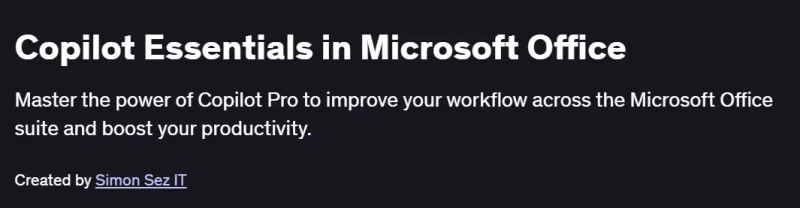
Understand the essentials of Microsoft Copilot in Office applications.
-
Learn how to use Copilot to draft content, analyze data, and create presentations.
-
Improve productivity in Word, Excel, PowerPoint, Outlook, and Teams with AI assistance.
-
Get hands-on practice using Copilot features in real business scenarios.
-
Enhance collaboration and automate repetitive tasks using AI tools.
Program Overview
Module 1: Getting Started with Microsoft Copilot
⏳ 30 minutes
-
Introduction to Microsoft Copilot and how it supports Office productivity.
-
Key concepts and prerequisites for using Copilot.
Module 2: Copilot in Microsoft Word
⏳ 45 minutes
-
Using AI to generate, revise, and summarize documents.
-
Creating reports, letters, and professional content faster.
Module 3: Copilot in Excel
⏳ 60 minutes
-
Auto-generating formulas and performing data analysis.
-
Building reports, identifying trends, and visualizing data.
Module 4: Copilot in PowerPoint
⏳ 45 minutes
-
Instantly creating slide decks from outlines or text prompts.
-
Editing slide content and formatting using AI suggestions.
Module 5: Copilot in Outlook & Teams
⏳ 45 minutes
-
Summarizing email threads and drafting responses with AI.
-
Enhancing meetings with automated notes and follow-ups.
Module 6: Real-World Applications of Copilot
⏳ 45 minutes
-
Use cases for different job roles and industries.
-
Improving workflow efficiency through intelligent automation.
Get certificate
Job Outlook
-
High Demand: AI-enhanced productivity tools are rapidly being adopted across industries.
-
Career Advancement: Helps professionals stand out in administrative, analytical, and managerial roles.
-
Salary Potential: Roles leveraging Microsoft 365 Copilot tools can earn $70K–$120K+.
-
Freelance Opportunities: Offers value to productivity coaches, corporate trainers, and automation consultants.
Explore More Learning Paths
Enhance your Microsoft Office productivity and AI skills with these hand-picked programs designed to help you leverage Copilot for smarter workflows and automation.
Related Courses
-
Copilot: Microsoft 365 Copilot AI for Excel, Word & PowerPoint Course – Learn to integrate Copilot AI into Office apps for enhanced data analysis, document creation, and presentations.
-
Microsoft Copilot Masterclass: Microsoft 365 Copilot Office Course – Master advanced AI functionalities across Microsoft 365 to boost productivity, automation, and collaboration.
-
Microsoft Copilot Studio: The Copilot Studio Masterclass Course – Explore Copilot Studio to build, customize, and deploy AI-assisted applications for Microsoft platforms.
Related Reading
-
What Is Python Used For? – Discover how Python can extend AI capabilities, automate workflows, and integrate with Microsoft Copilot solutions.