9.6/10
Highly Recommended
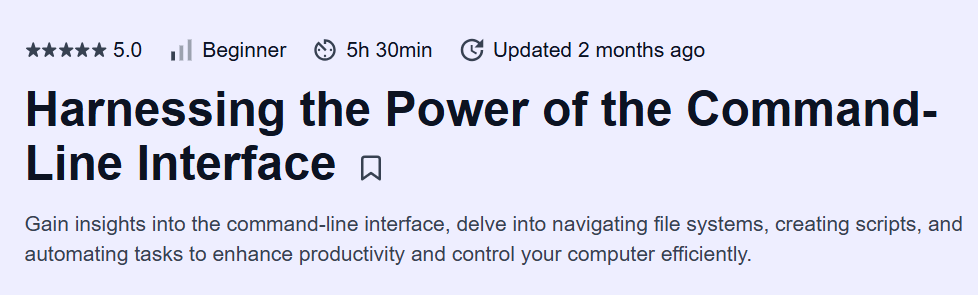
Harnessing the Power of the Command-Line Interface Course on Educative — An in-depth CLI course that transforms users into power users, covering everything from basics to advanced automation and remote workflows.
Pros
- Comprehensive coverage from navigation to advanced scripting
- Plenty of real-world, hands-on lab exercises
- Emphasis on automation and remote operations
Cons
- Assumes familiarity with a Unix-like environment (Windows users may need WSL)
- Limited focus on Windows PowerShell equivalents
Harnessing the Power of the Command-Line Interface Course Course
Platform: Educative
Instructor: Developed by MAANG Engineers
What will you learn in Harnessing the Power of the Command-Line Interface Course
-
Navigate and interact with your OS using the command line (CLI) efficiently
-
Master file and directory operations, permissions, and process management
-
Utilize powerful text-processing tools: grep, awk, sed, and cut
-
Automate tasks with shell scripting, loops, conditionals, and functions
-
Leverage package managers, SSH, and remote workflows to boost productivity
Program Overview
Module 1: CLI Fundamentals & Navigation
⏳ 1 week
-
Topics: Shell types (bash, zsh), prompt customization, directory structure
-
Hands-on: Navigate the filesystem, use shortcuts like cd -, pushd/popd
Module 2: File & Directory Operations
⏳ 1 week
-
Topics: ls, cp, mv, rm, wildcards, recursive operations
-
Hands-on: Batch rename files with patterns and manage nested directories
Module 3: Permissions & Process Management
⏳ 1 week
-
Topics: chmod, chown, ps, top, kill, background jobs
-
Hands-on: Write scripts to monitor and restart hung processes automatically
Module 4: Text Processing Tools
⏳ 1 week
-
Topics: grep, awk, sed, cut, sort, uniq pipelines
-
Hands-on: Extract and aggregate log data to generate summary reports
Module 5: Shell Scripting Basics
⏳ 1 week
-
Topics: Shebang, variables, conditionals, loops, I/O redirection
-
Hands-on: Create a backup script that archives and rotates logs
Module 6: Advanced Scripting & Functions
⏳ 1 week
-
Topics: Functions, argument parsing, modular script design
-
Hands-on: Develop a reusable CLI tool with help flags and subcommands
Module 7: Remote Workflows & Package Management
⏳ 1 week
-
Topics: SSH, scp, rsync, apt/yum/brew, environment management
-
Hands-on: Automate deployment of scripts across multiple servers via SSH
Module 8: Productivity & Customization
⏳ 1 week
-
Topics: Aliases, environment variables, prompt themes, Tmux basics
-
Hands-on: Configure a Tmux session with panes and keybindings for dev workflows
Job Outlook
-
CLI proficiency is essential for DevOps, Sysadmin, SRE, and backend development roles
-
Roles include System Administrator, DevOps Engineer, Site Reliability Engineer
-
Salaries range from $80,000 to $140,000+ based on experience and specialization
-
Mastery of the CLI accelerates troubleshooting, automation, and large-scale system management
FAQs
Do I need prior Unix or Linux experience to take this course?
Basic familiarity with a Unix-like environment is helpful but not mandatory. Course starts with CLI fundamentals, shell types, and directory navigation. Hands-on exercises guide learners through real-world tasks. Windows users can use WSL or equivalent environments to follow along. By the end, learners gain confidence performing system operations via CLI.
How practical is the course for real-world DevOps or Sysadmin tasks?
Covers process monitoring, background jobs, and system automation. Hands-on labs with grep, awk, sed, and cut for log and text processing. Automates repetitive tasks using shell scripting and functions. Teaches remote workflows with SSH, scp, and rsync. Skills are directly applicable to backend, DevOps, and SRE roles.
Will this course help me write reusable and modular shell scripts?
Teaches modular script design and function creation. Covers argument parsing and handling multiple inputs. Hands-on exercises include building reusable CLI utilities. Focuses on scripting best practices for maintainability. Learners gain confidence creating scripts usable in production workflows.
Does the course cover productivity and customization tips for the CLI?
Teaches creation of aliases and environment variables for faster commands. Covers prompt customization and shell theming for improved readability. Introduces Tmux for managing multiple panes and sessions. Hands-on labs show practical productivity enhancements. Customization knowledge improves efficiency for daily development tasks.
How can I study this course effectively while working part-time?
Dedicate 4–6 hours weekly for modules and hands-on labs. Focus on one topic or exercise per session for better retention. Practice scripting and text-processing exercises incrementally. Document commands, scripts, and workflows for future reference. Apply learned techniques to small personal or work projects for reinforcement.