
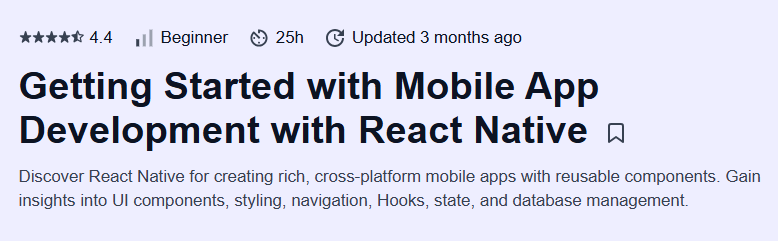
What will you learn in Getting Started with Mobile App Development with React Native Course
-
Set up your development environment for React Native and debug on simulators and devices
-
Create and style components using JSX, Flexbox layouts, and built-in APIs
-
Manage application state with React Hooks and Context for scalable architecture
-
Handle navigation between screens using React Navigation
Program Overview
Module 1: Environment Setup & Hello World
⏳ 20 minutes
-
Topics: Installing Node.js, Expo CLI, Android/iOS simulators
-
Hands-on: Scaffold a new Expo project and run it on a simulator
Module 2: Building UI with Components & Styles
⏳ 45 minutes
-
Topics: Core components (View, Text, Image), StyleSheet, Flexbox layout
-
Hands-on: Create a multi-section screen with styled components
Module 3: State Management with Hooks & Context
⏳ 40 minutes
-
Topics:
useState,useEffect, Context API for global state -
Hands-on: Build a counter app and theme-switcher using Context
Module 4: Navigation & Routing
⏳ 35 minutes
-
Topics: Stack Navigator, Tab Navigator, passing params between screens
-
Hands-on: Implement a two-screen flow with parameterized navigation
Module 5: Data Fetching & Asynchronous Logic
⏳ 50 minutes
-
Topics: REST API calls,
fetch, async/await, error handling -
Hands-on: Fetch and display a list of items from a public API
Module 6: Device Features & Local Storage
⏳ 40 minutes
-
Topics: Accessing camera and location, AsyncStorage for persistence
-
Hands-on: Build a photo-capture feature and save metadata locally
Module 7: Performance & Debugging
⏳ 30 minutes
-
Topics: Performance optimizations, React DevTools, Flipper debugging
-
Hands-on: Profile an app and fix rendering bottlenecks
Module 8: Capstone Project – Build & Deploy
⏳ 50 minutes
-
Topics: App packaging, Expo build service, deploying to App Store/Play Store
-
Hands-on: Package your app and prepare it for production release
Get certificate
Job Outlook
-
Mobile developers in the U.S. earn an average of $112,000 per year
-
Employment of software developers is projected to grow 17% through 2033
-
React Native skills are in high demand for startups, agencies, and enterprise apps
-
Freelance opportunities abound for cross-platform app development projects
Explore More Learning Paths
Take your mobile app development skills to the next level with these hand-picked courses designed to help you master React Native, React fundamentals, and AI-driven mobile app development.
Related Courses
-
Meta React Native Specialization Course – Gain comprehensive expertise in building cross-platform mobile applications using React Native with practical projects.
-
React Basics Course – Learn the core concepts of React, including components, state management, and hooks, to build dynamic user interfaces.
-
Generative AI for Mobile App Developers Specialization Course – Explore how generative AI can enhance mobile apps, from intelligent features to personalized user experiences.
Related Reading
-
What Is Software Development? – Understand the fundamentals of app development and the tools that make modern mobile apps functional and scalable.


