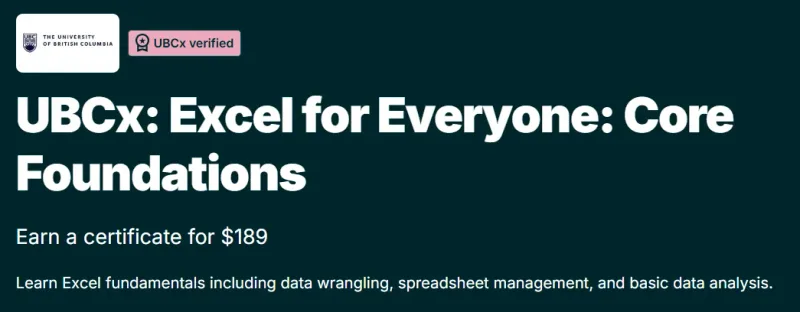
What will you learn in UBCx: Excel for Everyone: Core Foundations course
-
Understand the core fundamentals of Microsoft Excel for everyday and professional use.
-
Learn how to navigate Excel, manage worksheets, and organize data effectively.
-
Apply essential formulas and functions to perform calculations and analysis.
-
Format spreadsheets to improve readability and presentation.
-
Create basic charts to visualize data clearly.
-
Build a strong foundation for advanced Excel, data analysis, and business analytics courses.
Program Overview
Introduction to Excel and Spreadsheet Basics
⏳ 1–2 weeks
-
Learn the Excel interface, workbook structure, and basic navigation.
-
Understand cells, rows, columns, and basic data entry.
-
Explore common spreadsheet use cases.
Working with Data and Formatting
⏳ 2–3 weeks
-
Learn how to format cells, tables, and worksheets.
-
Organize data using sorting and filtering tools.
-
Apply best practices for clean and readable spreadsheets.
Formulas and Functions
⏳ 2–3 weeks
-
Learn core Excel formulas such as SUM, AVERAGE, COUNT, and IF.
-
Understand relative and absolute cell references.
-
Use functions to automate calculations and reduce errors.
Charts and Basic Data Visualization
⏳ 1–2 weeks
-
Create basic charts like bar, line, and pie charts.
-
Learn how to choose appropriate visuals for different data types.
-
Improve communication of insights through simple visuals.
Get certificate
Job Outlook
-
Excel skills are essential across nearly all industries and job roles.
-
Ideal for beginners, students, and professionals seeking Excel literacy.
-
Useful for roles such as Business Analyst (Entry-Level), Administrative Assistant, Operations Executive, and Data Analyst (Junior).
-
Serves as a strong stepping stone to advanced Excel, Power BI, and analytics tools.
Explore More Learning Paths
Build strong, practical Excel skills with these carefully selected courses designed to improve data analysis, visualization, and everyday business productivity.
Related Courses
- Excel Power Tools for Data Analysis Course – Enhance your ability to analyze and manipulate data efficiently using advanced Excel tools and features.
- Data Visualization in Excel Course – Learn how to turn raw data into clear, impactful charts and dashboards using Excel.
- Excel Skills for Business: Essentials Course – Develop essential Excel skills for day-to-day business analysis, reporting, and decision-making.
Related Reading
- What Is Data Management? – Understand how effective data organization and management improve accuracy, insights, and efficiency when working with Excel.