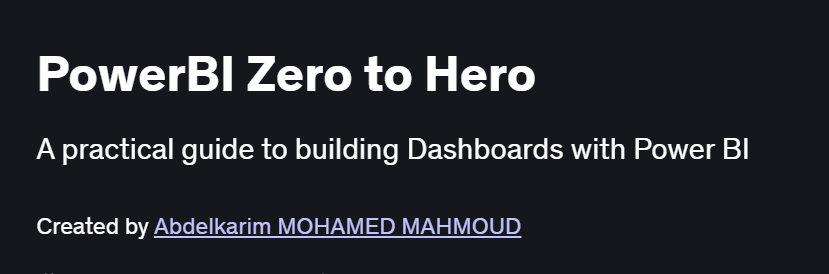
What will you in PowerBI Zero to Hero Course
- Connect to and transform data from diverse sources using Power Query
- Design interactive reports and dashboards with Power BI Desktop visuals
- Create advanced DAX measures and calculated columns for analytics
- Implement row-level security, bookmarks, and drill-through to enhance user experience
- Publish, share, and maintain Power BI reports in the Power BI Service
Program Overview
Module 1: Getting Started with Power BI Desktop
⏳ 30 minutes
-
Installing Power BI Desktop and overview of the interface
-
Connecting to Excel, CSV, and SQL Server data sources
Module 2: Data Transformation with Power Query
⏳ 1 hour
-
Shaping and cleaning data: filters, merges, and unpivot operations
-
Creating reusable query parameters and functions
Module 3: Data Modeling & Relationships
⏳ 1 hour
-
Defining tables, keys, and relationships for accurate analytics
-
Star schema design and best practices
Module 4: Introduction to DAX
⏳ 1 hour
-
Calculated columns vs. measures, basic functions (SUM, AVERAGE, FILTER)
-
Time intelligence: year-to-date, moving averages, and period comparisons
Module 5: Advanced DAX Techniques
⏳ 1 hour
-
Context transition, iterator functions (SUMX, AVERAGEX), and variables
-
Hierarchies, dynamic segmentation, and custom groups
Module 6: Report Design & Interactivity
⏳ 45 minutes
-
Using bookmarks, drill-through, tooltips, and slicer sync
-
Custom visuals and themes for branding consistency
Module 7: Power BI Service & Collaboration
⏳ 45 minutes
-
Publishing reports to the Power BI Service, workspaces, and apps
-
Row-level security, scheduling refresh, and sharing dashboards
Module 8: Performance Optimization & Best Practices
⏳ 30 minutes
-
Query folding, model optimization, and performance analyzer
-
Governance tips: version control, usage metrics, and documentation
Get certificate
Job Outlook
- Power BI expertise is in high demand for roles like BI Analyst, Data Analyst, and Report Developer
- Applicable across industries finance, healthcare, retail, and manufacturing—for data-driven decision making
- Enables you to build self-service analytics and support executive reporting requirements
- Foundation for advanced career paths: data engineering, Azure analytics, and BI architecture
Explore More Learning Paths
Elevate your data analytics and business intelligence capabilities with these expert-curated programs designed to strengthen your Power BI mastery, improve your reporting skills, and help you deliver insights that drive real business impact.
Related Courses
-
Microsoft Power BI Data Analyst Professional Certificate Course – Build industry-ready analytics skills with hands-on projects, dashboards, DAX, data modeling, and real-world business analysis.
-
Power BI Masterclass: Beginners to Advanced Course – Learn Power BI step-by-step—from data loading and cleaning to advanced visualizations, performance optimization, and DAX best practices.
-
Power BI Certification Training Course (PwC Academy) – Get certification-focused training with guidance from PwC experts to build professional-level BI reports and dashboards.
Related Reading
Gain deeper insight into how project management drives real-world success:
-
What Is Project Management? – Understand the principles that make every great project a success story.