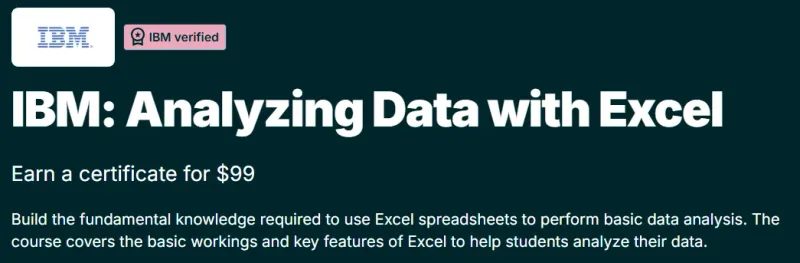
What will you learn in IBM: Analyzing Data with Excel course
-
Analyze datasets using Microsoft Excel for business and analytics use cases.
-
Clean, organize, and prepare data for analysis using Excel tools.
-
Apply formulas, functions, and PivotTables to summarize and explore data.
-
Create charts and basic dashboards to communicate insights clearly.
-
Perform descriptive analysis to identify trends, patterns, and outliers.
-
Build confidence in using Excel as a practical analytics tool.
Program Overview
Introduction to Data Analysis with Excel
⏳ 1–2 weeks
-
Overview of Excel as a data analysis tool.
-
Understanding datasets, data types, and basic spreadsheet operations.
-
Setting up Excel for efficient analysis workflows.
Data Cleaning and Preparation
⏳ 2–3 weeks
-
Learn to clean and format raw data.
-
Handle missing values, duplicates, and inconsistencies.
-
Use sorting, filtering, and conditional formatting for quick insights.
Data Analysis with Functions and PivotTables
⏳ 2–3 weeks
-
Apply essential Excel functions for analysis (SUMIFS, COUNTIFS, IF, VLOOKUP/XLOOKUP).
-
Build PivotTables to summarize and analyze large datasets.
-
Explore data relationships and comparisons efficiently.
Data Visualization and Reporting
⏳ 2–3 weeks
-
Create charts and visual summaries in Excel.
-
Learn best practices for clear and accurate data presentation.
-
Build simple reports to support data-driven decision-making.
Get certificate
Job Outlook
-
Ideal for entry-level Data Analyst, Business Analyst, and Operations roles.
-
Excel analytics skills are in demand across finance, marketing, HR, and operations.
-
Serves as a foundation for advanced analytics tools like Power BI, SQL, and Python.
-
Enhances productivity and analytical thinking in business environments.
Explore More Learning Paths
Strengthen your Excel-based data analysis skills with these carefully selected courses designed to improve automation, advanced analytics, and everyday spreadsheet efficiency.
Related Courses
- ChatGPT Advanced Data Analysis Course – Learn how to use AI-powered analysis to explore datasets, generate insights, and speed up analytical workflows.
- Excel VBA for Creative Problem Solving Specialization Course – Automate complex Excel tasks and build custom solutions using VBA.
- Everyday Excel Specialization Course – Build strong, practical Excel skills for daily business analysis and reporting.
Related Reading
- What Is Data Management? – Understand how proper data organization and management enhance accuracy, efficiency, and decision-making in Excel-based analysis.