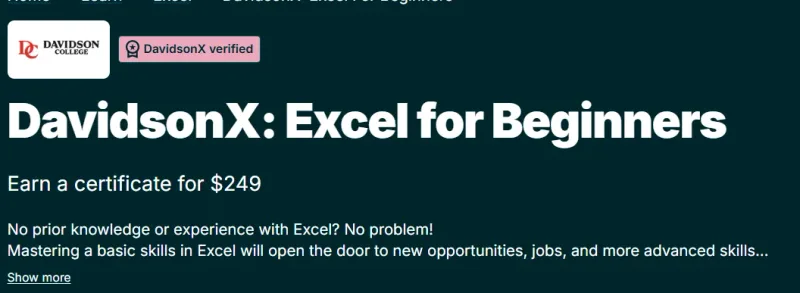
What will you learn in DavidsonX: Excel for Beginners course
-
Get comfortable with the Microsoft Excel interface and basic spreadsheet navigation.
-
Learn how to enter, organize, and manage data efficiently.
-
Apply essential formulas and functions for everyday calculations.
-
Format cells and worksheets for clarity and professional presentation.
-
Create simple charts to visualize data and trends.
-
Build a strong foundation for further learning in Excel, data analysis, and business tools.
Program Overview
Excel Basics and Navigation
⏳ 1–2 weeks
-
Learn workbook structure, worksheets, rows, columns, and cells.
-
Understand basic data entry and editing techniques.
-
Explore common Excel shortcuts and productivity tips.
Working with Data
⏳ 2–3 weeks
-
Learn how to sort and filter data.
-
Organize datasets for readability and usability.
-
Apply basic data validation concepts.
Formulas and Functions
⏳ 2–3 weeks
-
Use core formulas like SUM, AVERAGE, MIN, MAX, and COUNT.
-
Understand relative and absolute cell references.
-
Reduce manual work through simple automation.
Formatting and Charts
⏳ 1–2 weeks
-
Format cells, tables, and sheets for clean presentation.
-
Create basic charts such as bar and line charts.
-
Learn how to communicate insights visually.
Get certificate
Job Outlook
-
Excel skills are essential across almost all job roles and industries.
-
Ideal for students, career starters, and professionals with no prior Excel experience.
-
Useful for roles such as Administrative Assistant, Business Executive, Operations Associate, and Entry-Level Analyst.
-
Serves as a stepping stone to advanced Excel, analytics, and reporting courses.
Explore More Learning Paths
Enhance your Microsoft Excel skills with these carefully selected courses designed to improve data analysis, problem-solving, and automation capabilities in business and technical contexts.
Related Courses
-
Introduction to Data Analysis Using Microsoft Excel Course – Learn core Excel functions and tools to analyze, visualize, and interpret data effectively.
-
Everyday Excel Specialization Course – Build practical Excel skills for everyday business tasks, from basic formulas to data visualization and reporting.
-
Excel VBA for Creative Problem Solving Specialization Course – Master automation and programming in Excel using VBA to solve complex business problems efficiently.
Related Reading
-
What Is Data Management? – Discover how effective data organization and management in Excel can support better decision-making.