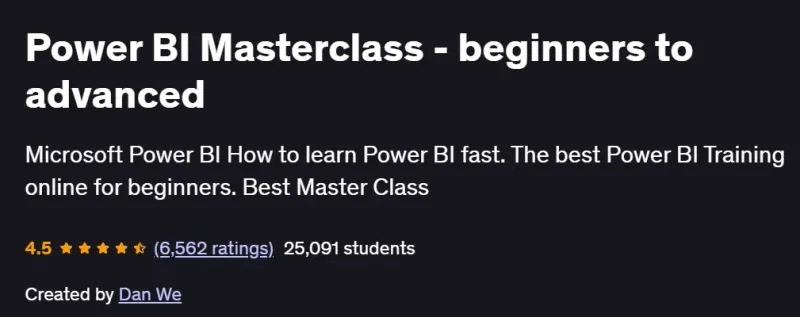
What will you in Power BI Masterclass – beginners to advanced Course
-
Connect to and transform data from Excel, SQL, web, and cloud sources using Power Query
-
Model data with relationships, hierarchies, and calculated tables for analytical efficiency
-
Write advanced DAX measures, calculated columns, and time-intelligence functions
-
Design interactive reports and dashboards with slicers, drill-through, bookmarks, and custom visuals
-
Implement row-level security, parameters, and dynamic visuals to tailor user experiences
-
Publish and share reports in the Power BI Service; configure refresh schedules and app workspaces
Program Overview
Module 1: Getting Started with Power BI Desktop
⏳ 30 minutes
-
Installing Power BI Desktop, exploring the interface, and loading sample datasets
-
Connecting to Excel and CSV files; basic data preview and transformation
Module 2: Data Transformation with Power Query
⏳ 1 hour
-
Shaping data: filters, splits, merges, unpivot/pivot, and custom columns
-
Creating parameters and functions for repeatable ETL processes
Module 3: Data Modeling & Relationships
⏳ 1 hour
-
Defining tables, one-to-many and many-to-many relationships
-
Building star schemas and leveraging auto-detect vs. manual relationship settings
Module 4: Introduction to DAX Basics
⏳ 1 hour
-
Calculated columns vs. measures; SUM, AVERAGE, COUNT functions
-
Simple time-intelligence: year-to-date, quarter comparisons, and date tables
Module 5: Advanced DAX & Analytics
⏳ 1 hour
-
Iterator functions (SUMX, AVERAGEX), variables, and context transition
-
Advanced time-intelligence and dynamic segmentation with SWITCH and USERELATIONSHIP
Module 6: Report Design & Interactivity
⏳ 1 hour
-
Using slicers, bookmarks, drill-through pages, tooltips, and buttons
-
Custom theming, layout best practices, and accessibility considerations
Module 7: Power BI Service & Collaboration
⏳ 45 minutes
-
Publishing reports to the service, creating workspaces and apps
-
Configuring row-level security, scheduled refresh, and data alerts
Module 8: Performance Tuning & Best Practices
⏳ 45 minutes
-
Query folding, incremental refresh, and optimizing visuals
-
Using the Performance Analyzer and Aggregations for large datasets
Get certificate
Job Outlook
-
Power BI skills are in high demand for roles like BI Analyst, Data Analyst, and Reporting Specialist
-
Applicable across finance, healthcare, retail, and manufacturing for self-service analytics
-
Enables you to build data-driven culture through interactive dashboards and real-time insights
-
Provides a stepping-stone to Azure analytics, SQL Server Analysis Services, and advanced data engineering
Explore More Learning Paths
Take your data visualization and analytics skills to the next level with these hand-picked programs designed to help you master Power BI for business intelligence and decision-making.
Related Courses
-
Microsoft Power BI Data Analyst Professional Certificate Course – Gain professional-level expertise in Power BI, from data modeling to visualization and reporting.
-
Harnessing the Power of Data with Power BI Course – Learn practical techniques to transform raw data into actionable insights using Power BI tools.
-
Power BI Certification Training Course – PwC Academy – Prepare for Power BI certification with hands-on training in dashboards, reports, and analytics.
Related Reading
Gain deeper insight into leveraging data for business intelligence:
-
What Is Data Management? – Understand how proper data management and analysis enable accurate reporting and informed decision-making.